
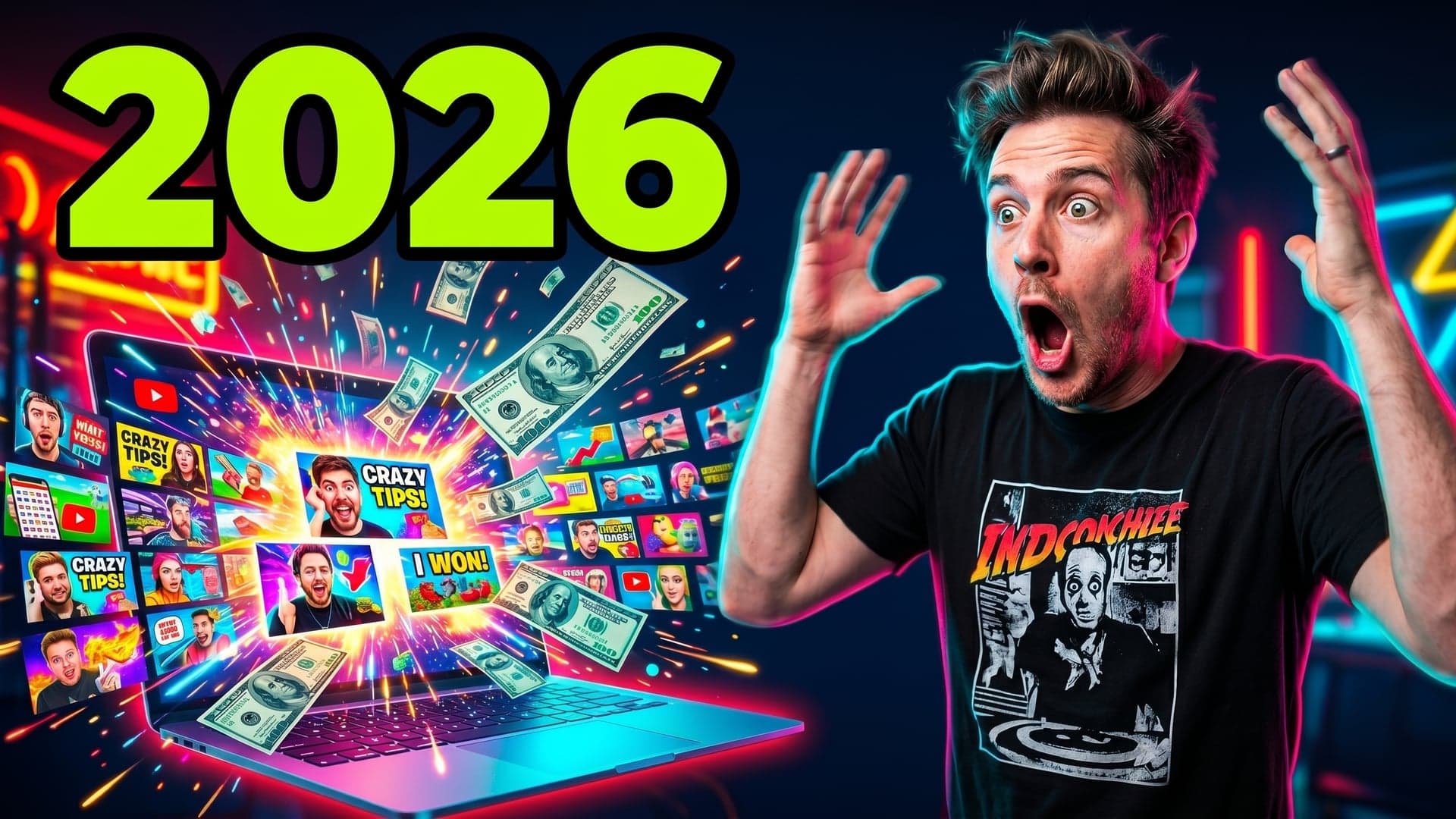
Your YouTube thumbnail is the single highest-leverage asset on your channel. A good one doubles your click-through rate. A bad one buries a great video. Yet most creators still spend hours wrestling with ChatGPT prompts, Canva templates, or freelance designers — only to publish something that looks generic. This guide breaks down what makes an AI YouTube thumbnail generator actually useful in 2026, compares the seven leading tools, and shows you how to copy any channel's thumbnail style without copying their content.
What Is an AI YouTube Thumbnail Generator?
An AI YouTube thumbnail generator is a specialized tool that turns a video idea, title, or reference image into a complete, publish-ready thumbnail in seconds — without manual design work. Unlike general-purpose AI image tools like Midjourney or DALL-E, a dedicated AI thumbnail maker understands what makes thumbnails click: face placement, text hierarchy, contrast, niche conventions, and current YouTube trends.
How does the AI thumbnail generator work?
The workflow is straightforward. You paste your video title or YouTube link, optionally upload a reference image (your face, a product, or a competitor channel for style matching), and the AI generates several thumbnail options in seconds. Behind the scenes, the system analyzes your video topic, picks an appropriate visual style, generates the imagery, places text with proper hierarchy, and applies contrast tuning so the thumbnail reads at every size — from a desktop sidebar to a mobile feed.
How is this different from YouTube auto-generated thumbnails?
YouTube's auto-generated thumbnails are pulled from random frames of your video. They have no text, no visual hierarchy, and no understanding of what makes a thumbnail clickable. An AI thumbnail generator builds a thumbnail from scratch with deliberate design choices: facial expressions chosen for emotional impact, text optimized for legibility at thumbnail size, and colors tuned for contrast against YouTube's white interface. The difference in click-through rate between an auto frame and a designed thumbnail is typically two to five times higher.
Why creators are switching from ChatGPT and Nano Banana
ChatGPT, DALL-E, Nano Banana (Gemini Flash Image), and similar general-purpose tools were trained to make any image — not specifically YouTube thumbnails. Creators using them quickly discover the same problems: text comes out garbled, faces look uncanny, layouts ignore YouTube's UI constraints, and you need ten to twenty prompts to get one usable result. A purpose-built AI thumbnail maker eliminates this prompt engineering tax by treating thumbnails as a specific design problem with specific rules.
The 4 Things That Separate a Pro AI Thumbnail Tool From a Toy
Most YouTubers who try ChatGPT, DALL-E, or Nano Banana for thumbnails give up within a week. Not because AI can't make pretty images — it can — but because making a pretty image and making a clickable YouTube thumbnail are two completely different problems. A real AI thumbnail generator solves the second one. Here are the four capabilities that separate a serious AI thumbnail maker from a toy you'll abandon in a week.
1. Promptless workflow (no prompt engineering required)
The number one frustration creators report with generic AI tools is what designers now call the "prompt tax" — the thirty to forty-five minutes you spend rewriting prompts in ChatGPT or Nano Banana to coax out a single usable thumbnail. You shouldn't need to learn prompt engineering to make a YouTube thumbnail. A purpose-built AI thumbnail maker understands creator intent from a single sentence: you paste your video title, drop your face, and the AI handles composition, color theory, text hierarchy, and contrast — the parts you don't need to think about. The best AI thumbnail tools in 2026 have moved past prompts entirely. You describe the video, not the image.
2. Style cloning (match any channel's visual language)
Every successful YouTube channel has a visual fingerprint. MrBeast thumbnails are saturated, high-contrast, and built around an exaggerated facial reaction. MKBHD thumbnails are minimal, tech-product-centered, and use a tight color palette to effectively grab attention. Kids channels lean cartoon, with bright primaries and chunky text to create thumbnails that attract young viewers. Generic AI image generators don't see this — they output what people now call "AI thumbnails," which all look subtly the same. A serious AI YouTube thumbnail generator lets you reference any channel as a style anchor to create thumbnails that resonate with audiences. You paste a YouTube link, and the system extracts the visual language — color saturation, face placement, text style, contrast curve — then applies it to your own video. This is style transfer, not random generation, and it's the single biggest gap between a real AI YouTube thumbnail maker and a general-purpose image tool.
3. Trend awareness (knows what clicks in 2026)
YouTube thumbnail trends move fast. The "shocked face plus arrow" template that dominated 2024 is already played out in some niches. The bold lime-green text overlays that work for finance creators get ignored on kids channels. Generic AI tools are trained on generic image data — they don't know what's clicking on YouTube this quarter. A proper AI thumbnail generator should be trained on currently performing thumbnails segmented by niche: gaming, vlog, kids, education, finance, beauty. When the agent suggests a layout, it should be a layout that's working in your niche right now, not a 2022 template the model happens to remember. Trend awareness is the part of the workflow you used to outsource to a designer or spend Sunday afternoons researching on YouTube yourself.
4. Multiple angles per idea (3–5 variations to A/B test)
Top channels don't publish a thumbnail — they publish a thumbnail experiment. They generate five variations, push two or three live, swap them after twenty-four hours based on click-through rate. A single AI-generated image gives you one guess. A real AI thumbnail tool understands that one idea has many angles: shocked face vs. confident face, text overlay vs. clean image, before/after vs. mystery framing. When you describe your video to a serious AI thumbnail maker, it should return three to five clearly different angles, not three minor color variations of the same composition. This is how creators stop guessing what works and start measuring it.
Why Thumby Is the Best AI YouTube Thumbnail Generator for the Promptless Workflow
Most AI thumbnail tools in 2026 are wrappers around a general image model — Midjourney, DALL-E, or Gemini's Nano Banana — with a thin UI layer. They give you a prompt box and an upload field and tell you to figure it out. That works if you already know what a high-CTR thumbnail looks like and how to describe it in 500 words of model-friendly language. It doesn't work for most creators, who just want the result.
Thumby is built the opposite way: the prompt box is replaced by a creator-friendly agent. You give a video title or paste a YouTube link, and the agent does the prompt engineering for you — using a curated library of 18 style templates reverse-engineered from top creators (MrBeast, MKBHD, Cocomelon, Ms Rachel, Joshua Weissman, and more) plus baked-in 2026 composition rules (single focal subject 30-50% of frame, ≤3 words of text, mobile-readable contrast).
What this means in practice:
- You skip the prompt. A one-line topic ("30-day Joshua Weissman sourdough challenge") is enough. The agent picks the right style, writes the underlying generation prompt, and ships a 16:9 thumbnail in about 60 seconds.
- You skip the "is this even good?" question. Composition rules are enforced server-side, not left to your eye. Faces sized correctly, text legible on a phone, no soyjak shock face, no duplicate-of-title text.
- You can pin a channel's style with one click. Drop any YouTube channel URL and Thumby clones that channel's visual language — palette, lighting, character framing — onto your topic. No design ask, no prompt-tuning.
- You pay per result, not per month. 3 free credits on signup with no card, then pay-as-you-go credits that never expire. No subscription churn.
If you want to see how Thumby stacks up against every other tool in the category — Canva, vidIQ, Pikzels, WayinVideo, ChatGPT / DALL-E, Adobe Express, Nano Banana, and three more — read our deeper listicle: 10 Best AI YouTube Thumbnail Generators in 2026 (Ranked & Tested). It's a head-to-head with output samples in 5 niches and a comparison table covering price, output quality, style cloning, free tier, and 4K export.
How to Make a YouTube Thumbnail in 4 Simple Steps
The modern workflow with a purpose-built AI thumbnail generator is fast — under five minutes from idea to published thumbnail.
1. Paste a YouTube link or describe your video
Start with your video title or paste the YouTube URL of your draft to generate effective thumbnails with AI. If you want to match an existing channel's style, paste that channel's URL too.
2. (Optional) Upload your face or reference channel
Drop a clear portrait of yourself if you want to appear in the thumbnail. For style matching, upload screenshots of thumbnails you want to emulate or paste channel links directly.
3. AI generates multiple thumbnails in seconds
The agent returns three to five different angles for the same video idea — different facial expressions, layouts, and text treatments. Pick the strongest one or generate more variations from any of them.
4. Download in HD and A/B test
Export your thumbnail in YouTube's recommended resolution (1280×720), upload it as your primary thumbnail, and rotate variants through YouTube Studio's thumbnail testing feature to measure CTR.
How to Copy Any YouTube Channel's Thumbnail Style (Legally)
Style cloning is one of the most useful capabilities of a modern AI thumbnail tool — but it raises an obvious question: where's the line between inspiration and theft?
The line between inspiration and copying
Visual style isn't copyrightable, which allows creators to freely create thumbnails inspired by popular trends. A specific photograph, illustration, or character likeness is. You can absolutely take inspiration from MrBeast's color palette, contrast levels, or text placement. You cannot reuse his actual face, photographs from his videos, or trademarked elements. Style cloning means extracting the design language — colors, composition, typography — and applying it to your own original content.
How style cloning actually works in Thumby
Paste a channel URL. The agent analyzes the channel's most-watched thumbnails, extracts the recurring visual patterns — saturation levels, face cropping, font weight, contrast ratios, background treatments — and creates a "style profile" you can apply to any future thumbnail. Your face, your product, your topic — but in their visual language.
Examples: replicating MrBeast, MKBHD, and kids-channel styles
A MrBeast-style thumbnail features high saturation, an exaggerated facial reaction, a bright element pointing at the subject, and minimal text in heavy weight. An MKBHD style is cleaner: a single tech product, dark background, minimal text. Kids-channel thumbnails lean cartoon: primary colors, chunky outlined text, multiple characters. Each style works in its niche and fails outside it, making it essential to tailor thumbnails with AI to the target audience.
YouTube Thumbnail Trends That Actually Work in 2026
YouTube thumbnail design moves in clear trend cycles. Here are the patterns currently driving high click-through rates across major niches.
The shocked-face trend
An exaggerated open-mouth or wide-eyed reaction shot remains the highest-performing thumbnail style for entertainment, finance, and lifestyle content. It works because emotion is universal and reads at any size. The trend has shifted slightly — overly fake reactions now underperform; subtler genuine surprise wins in video thumbnails.
The bold-text plus bright-contrast trend
Two to four words of heavy-weight text in a bright color (lime green, hot pink, electric yellow) against a high-contrast background. Used by finance, productivity, and educational creators. The text should be readable at 150-pixel width.
The before/after split trend
A diagonal or vertical split showing transformation: messy before, clean after; broke vs. wealthy; struggling vs. succeeding. Works exceptionally well in fitness, business, and tutorial content.
Niche-specific patterns (gaming, vlog, kids, educational)
Gaming thumbnails favor game character close-ups with glowing text. Vlog thumbnails lean candid lifestyle imagery with smaller text. Kids channels need bright primaries and cartoon styles. Educational thumbnails work best with clear subject framing and informational text. A good AI thumbnail generator knows which template to apply based on your niche.
The Promptless Workflow — Side by Side With ChatGPT and Nano Banana
The clearest way to understand why purpose-built AI thumbnail tools win is to compare workflows.
What you type in ChatGPT vs. what you type in Thumby
In ChatGPT, you'd write something like: "Create a YouTube thumbnail with a shocked male face on the left, bright yellow background, bold black text saying 'I lost $100K' on the right, in the style of MrBeast." Three to five revisions follow. In Thumby, you type: "I lost $100K story video" and paste a MrBeast channel link to create thumbnails that align with trending formats. Done.
Time-to-thumbnail: 5 minutes vs. 45 minutes
Average time from idea to published thumbnail: ChatGPT plus manual editing in Photoshop, thirty-five to fifty minutes. Canva with AI plus manual layout can take twenty to thirty minutes to create professional-quality video thumbnails. Purpose-built AI thumbnail generator with style cloning, three to seven minutes.
Why generic AI tools fail at YouTube thumbnails
General-purpose image models weren't trained on YouTube thumbnails as a category. They don't know that text should be heavy-weight, that faces should occupy specific zones, that contrast curves need to read at small sizes. They generate "AI art" — beautiful but not clickable.
YouTube Thumbnail Maker FAQs
Do I need design skills to use it?
No. A purpose-built AI YouTube thumbnail maker handles composition, typography, and contrast automatically. You describe the video; the agent makes the design decisions.
Do I need to write prompts?
No. The whole point of a modern AI thumbnail tool is to eliminate prompt engineering. You give it a video title and optional reference image — that's it.
How quickly can I create a thumbnail?
Most thumbnails generate in five to fifteen seconds. The full workflow — from pasting your video idea to downloading a published-ready PNG — takes three to seven minutes including review.
Are AI thumbnails copyright safe for monetization?
Yes, with caveats. AI-generated imagery you create is generally yours to use commercially. The risk is using reference images of copyrighted characters, real public figures, or trademarked elements. Stick to your own face, original concepts, or generic stock-style references when using a free AI thumbnail maker.
Can YouTube detect if my thumbnail was made with AI?
YouTube does not penalize AI-generated thumbnails. As of 2026, YouTube requires disclosure for AI-generated content depicting realistic events or people, but standard thumbnails don't fall under this requirement.
Do I own the thumbnails the AI creates?
You own the rights to the specific thumbnail images generated for your account, per most AI thumbnail generator terms of service. Check your specific tool's license, but commercial use is standard.
Can I upload my own face or brand elements?
Yes. Uploading a reference portrait of yourself (or your brand logo, mascot, or product) is the recommended workflow. The AI integrates your face into the generated thumbnail rather than inventing one.
Can I make thumbnails for YouTube Shorts?
Yes. Shorts use a 9:16 vertical format, and most AI thumbnail makers support both standard 16:9 and Shorts 9:16 outputs. Specify the format when generating.
What YouTube thumbnail size does Thumby use?
The standard YouTube thumbnail resolution is 1280×720 pixels (16:9 aspect ratio), with a maximum file size of 2MB. Thumby outputs at this resolution by default.
Is Thumby free to use?
Thumby offers a free tier for trying the tool, with paid plans for creators who need higher generation limits, advanced style cloning, and brand kit features.
Making World Cup 2026 videos?
Tournament content is the biggest seasonal CTR opportunity of 2026 — and the fastest to get wrong with recycled broadcast frames. See the World Cup 2026 YouTube thumbnails playbook for the kit-color contrast pairs and fixture-cap patterns that work while the tournament runs.
Ready to Automate Your Thumbnail Workflow?
The fastest path from a video idea to a clickable thumbnail in 2026 is a purpose-built AI thumbnail generator that understands YouTube specifically — the trends, the style language of leading channels, and the design rules that turn views into clicks. Stop wrestling with prompts. Stop guessing what works. Try Thumby at thumby.app and generate your first thumbnail in under five minutes.